

0 A.D. Cheats | Console Commands Guide [Full List]
Here you’ll find every 0 A.D. cheat code organized by category for quick access. Some of the commands below also support advanced usage options, which we explain in the descriptions.
How to Use Cheats in 0 A.D.
To enter cheat codes in 0 A.D., simply open the in-game chat by pressing the ENTER key and type any of the commands listed below:
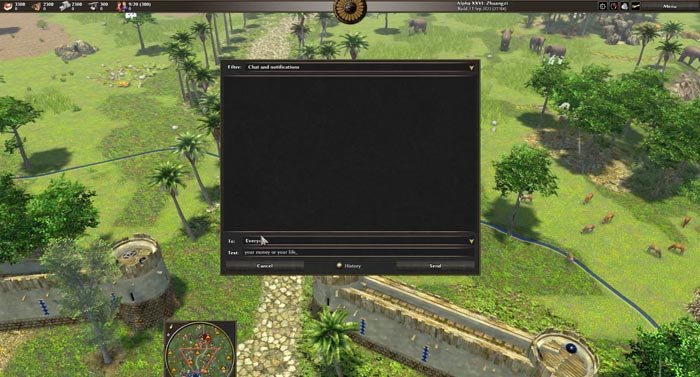
⚠️ Cheat codes in 0 A.D. are case-sensitive, so you must type them exactly as shown in this guide.
⚠️ If the code appears as a normal chat message after entering it, the cheat did not work, usually because of a typo.
⚠️ As you’ll see below, some cheats require selecting a unit or building before entering the command.
0 A.D. Cheats List [By Category]
All cheat codes sorted by type:
Resource Cheats
- i want pizza: Grants 1000 food.
- Add a number after the command to get a custom amount (example: i want pizza 2000).
- bring me my axe: Grants 1000 wood.
- Add a number after the command to get a custom amount (example: bring me my axe 2000).
- i see a mountain here: Grants 1000 stone.
- Add a number after the command to get a custom amount (example: i see a mountain here 2000).
- your money or your life: Grants 1000 metal.
- Add a number after the command to get a custom amount (example: your money or your life 2000).
- gift from the gods: Grants 100000 of every resource and instantly advances all phases/ages.
- Also activates the effects of the hive master, TARDIS, and i am too busy at the same time.
Population Cap Cheats
- the hive master: Sets your population cap to the maximum (300) without needing houses.
- Increases to 800 when combined with TARDIS.
- TARDIS: Raises the maximum population cap to 500, but still requires houses to support it.
- Removes the need for houses and boosts the cap to 800 when combined with the hive master.
Unit Spawn Cheats
- iwanttopwnthem: Spawns a random hero based on the selected building.
- Add a space and a number at the end of the command to spawn multiple heroes.
- If used while selecting an enemy building, the hero will belong to that civilization.
- salad bowl: Spawns an infantry soldier. You must select a building first.
- Add a space and a number at the end of the command to spawn multiple units.
- If used while selecting an enemy building, the unit will belong to that civilization.
- how do you turn this on?: Spawns a combat aircraft (P-51 Mustang) that can both attack and transport units. A building must be selected first.
- Add a space and a number at the end of the command to spawn multiple aircraft.
- If used while selecting an enemy building, the aircraft will belong to that civilization.
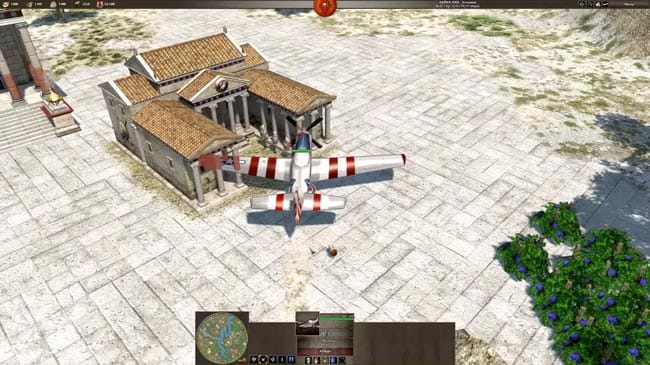 P-51 Mustang combat aircraft cheat (CODE: how do you turn this on?)
Map Cheats
- jame jam: Reveals the entire map.
Upgrade & Technology Cheats
- back to the future: Advances to the next phase/age.
- i am too busy: Speeds up actions and processes (combat, gathering, building, etc.) but not movement speed. Only affects your civilization.
- brainiac: Instantly researches technologies for free.
- Basic use: Select a building and enter the code to unlock its technologies.
- Advanced use: Research a specific technology using its JSON filename (example: brainiac technology_name). You can also use the technology slot number (example: brainiac 1 top / brainiac 1 bottom). If you don’t specify top or bottom, it defaults to top.
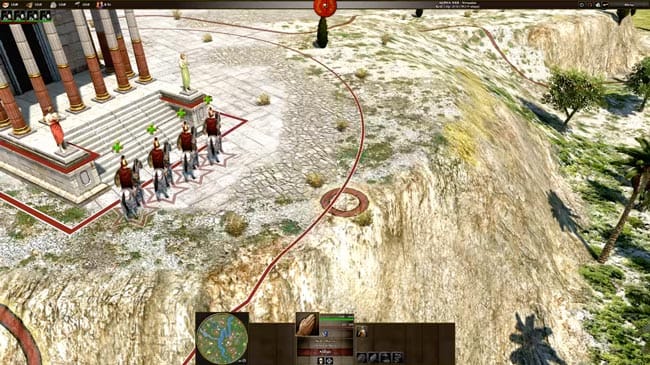 Random hero spawn cheat in 0 A.D. (CODE: iwanttopwnthem)
Other Cheats
- wololo: Converts the selected unit or building.
- By default it converts to your civilization, but you can choose another target civilization.
- black death: Kills the selected unit or destroys the selected building.
- exodia: Defeats a player. By default it targets Player 2.
- You can target any player by adding their player number after the command (including yourself).
- retro me: Plays an 8-bit retro music track.
- You can play a specific track by adding its .ogg filename (example: retro me 0_8Bit_Bonus_Track.ogg).
Share Your Thoughts:
That’s the complete list of 0 A.D. cheat codes and console commands. If you have additional tips or discoveries, feel free to leave a comment below.
Thanks for reading!
You May Also Like:

You can learn a lot from strategy games, even about yourself.
Leave a Reply